CodeDragon | Easily Learn HTML and CSS with This Online Code Editor
Published on June 13, 2019 · Niwo
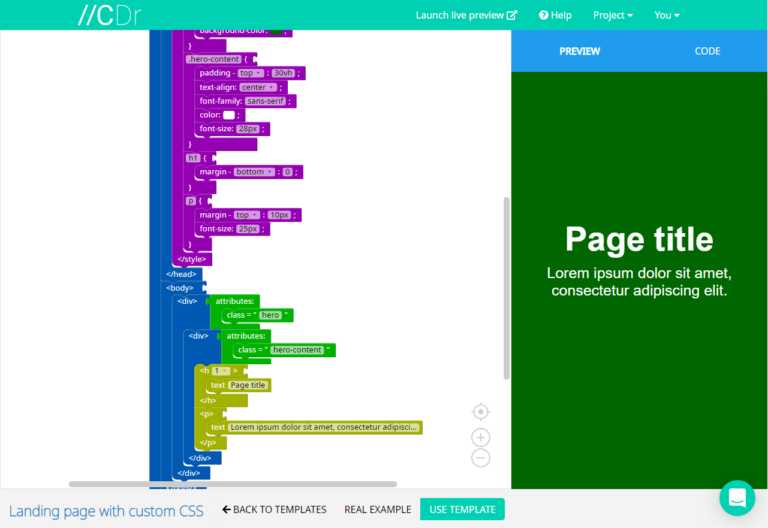
CodeDragon is an excellent tool for those taking their first steps in web programming, especially with HTML and CSS. Its effectiveness lies in its visual approach: it allows you to understand how the code works through graphic blocks that show how tags are opened and closed. This greatly facilitates understanding both HTML and CSS for beginners.
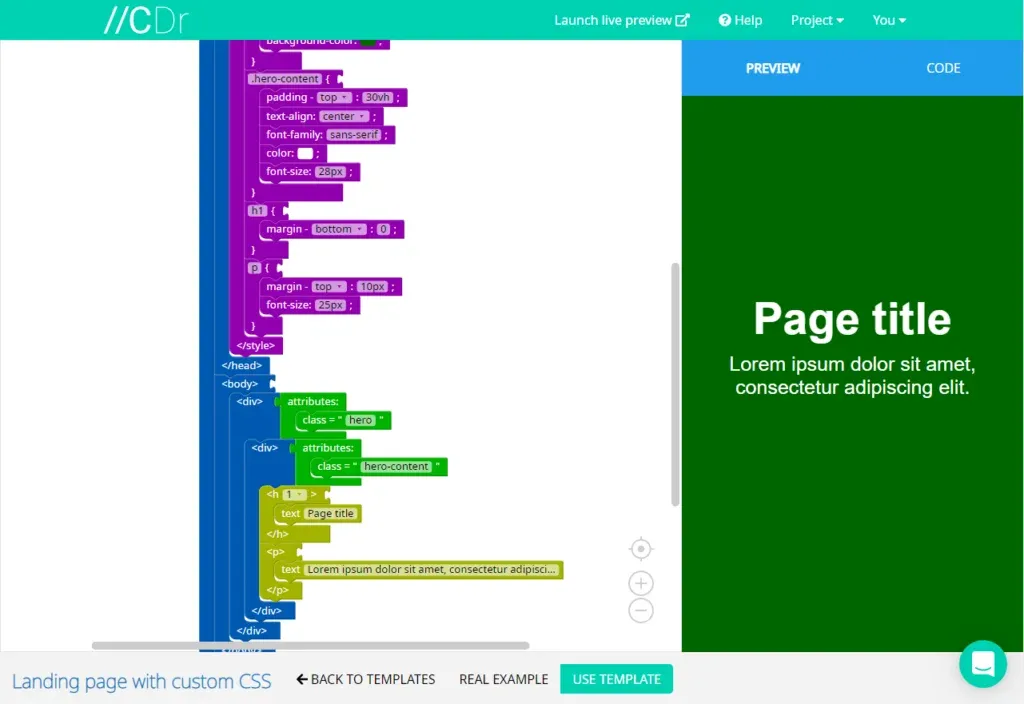
Template “Landing page with custom CSS” - CodeDragon
How to Use CodeDragon?
As you can see in the image above, the tags are organized like pieces of a puzzle. This makes orientation easier from the start, thanks to its intuitive color system:
- Blue: Structure
- Green: Modifiers
- Purple: Styles
- Yellow: Text
- Orange: Tables, Lists and organizational elements.
- Light Blue: Forms
- Dark Pink: Multimedia (Images, Videos, Audios)
We understand that color choice is subjective. For those who are not convinced by the assigned colors, there is an image where you can see all the colors as they appear in the editor more clearly:
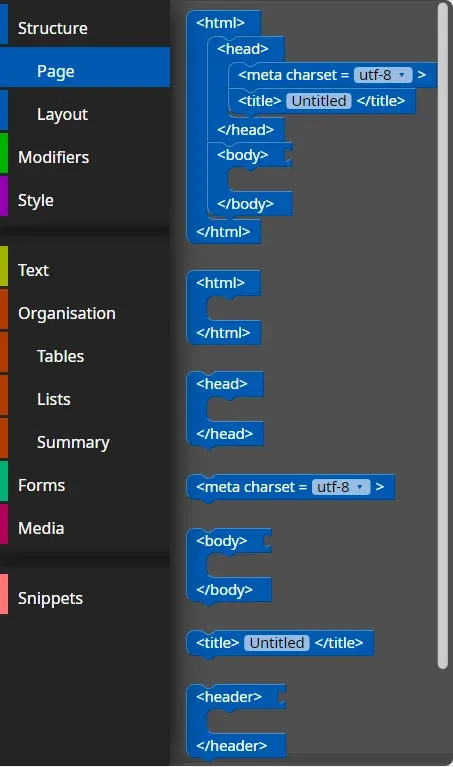
Code Blocks - CodeDragon
CodeDragon is particularly useful for those who are starting to work with HTML, as it offers constant visual assistance and avoids the feeling of facing a sea of incomprehensible code. In addition, it includes small tutorials that facilitate specific learning of both HTML and CSS. In short, CodeDragon provides a friendly and intuitive experience to learn HTML and CSS easily.