DiskPart: The Perfect Tool to Manipulate Your Hard Drives from CMD
Published on March 15, 2023 · Niwo
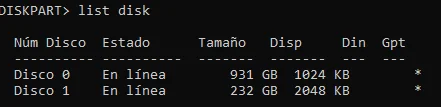
DiskPart is a Windows utility that allows us to manipulate hard drives and partitions from the system console (CMD). At first, its command-based operation may seem confusing, but once you master the basic commands, it becomes a very useful tool.
Basic DiskPart Commands
The first thing you need to understand is that when you open DiskPart, nothing is selected. Therefore, it’s important to identify the available drives and disks. This is achieved with the list disk command.
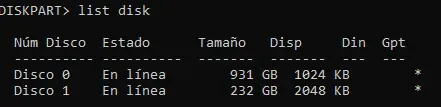
The list disk command shows all the hard drives physically connected to your PC, including pendrives if they are inserted. With this information, you can easily see the size of each connected drive.
How to View Letters Assigned to Different Volumes on a Disk
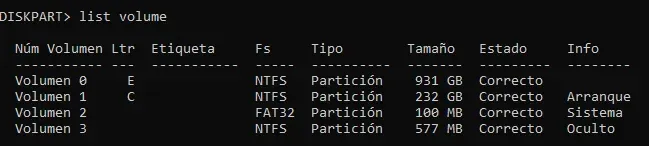
To view the letters assigned to each volume, along with their information, format and size, use the volume command. This command will show you all the volumes in the system and their respective assigned letters. It is possible to modify these letters with DiskPart, but be careful when doing so, as it will affect the entire drive. Especially avoid manipulating the volume with the C letter, where the operating system is installed.
Selecting a Disk with DiskPart
Selecting a disk is the first step to being able to manipulate it. To do this, use the select disk option followed by the corresponding number of the disk you want to select. For example, if you want to select disk 0, type select disk 0. DiskPart will then assign the cursor to that disk. It is important to remember that everything you do afterwards will only affect this selected disk.

The same principle applies to volumes: use select volume followed by the number of the desired volume. This is how DiskPart allows you to move between volumes and disks in order to manage them, whether to extend, expand or format them.
Need to convert between storage units? Try our Storage Calculator.