Solution to the CredSSP Encryption Oracle Error in Remote Desktop (Windows)
Published on March 9, 2023 · Niwo
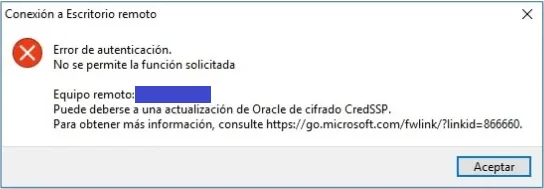
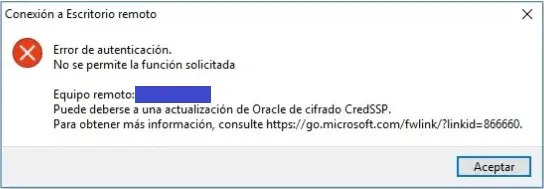
The CredSSP encryption oracle error is a common problem that can frustrate your attempts to connect via Remote Desktop to a server or Windows computer. This error message indicates an insecure connection between the client and the server, resulting in the rejection of the RDP connection. Fortunately, there are simple solutions to resolve it.
How to quickly fix the CredSSP encryption oracle error?
The fastest solution is applied on the client, without needing to modify anything on the server (especially useful if you cannot restart or update the server due to the criticality of the service). Follow these steps:
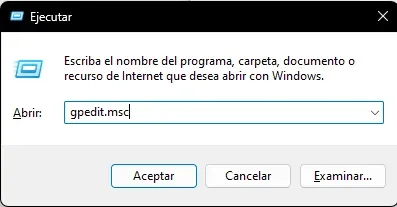
- Press
Ctrl + Rto open the “Run” window and typegpedit.msc.
-
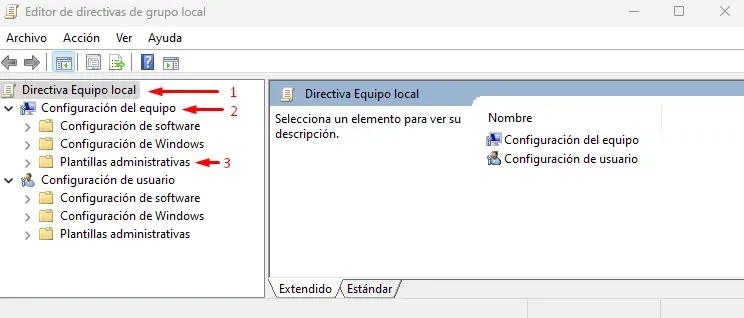
The Group Policy Editor will open. Navigate to:
- Local Computer Policy
- Computer Configuration
- Administrative Templates
-
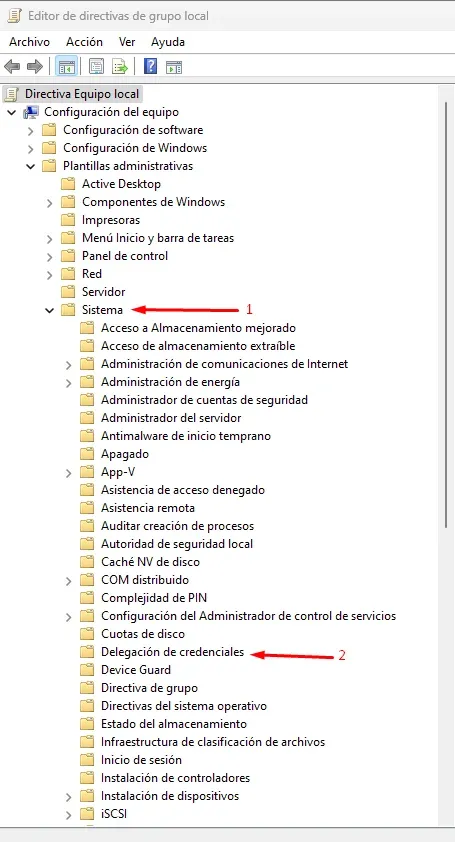
Within “Administrative Templates”, expand the following options:
- System
- Delegation of Credentials
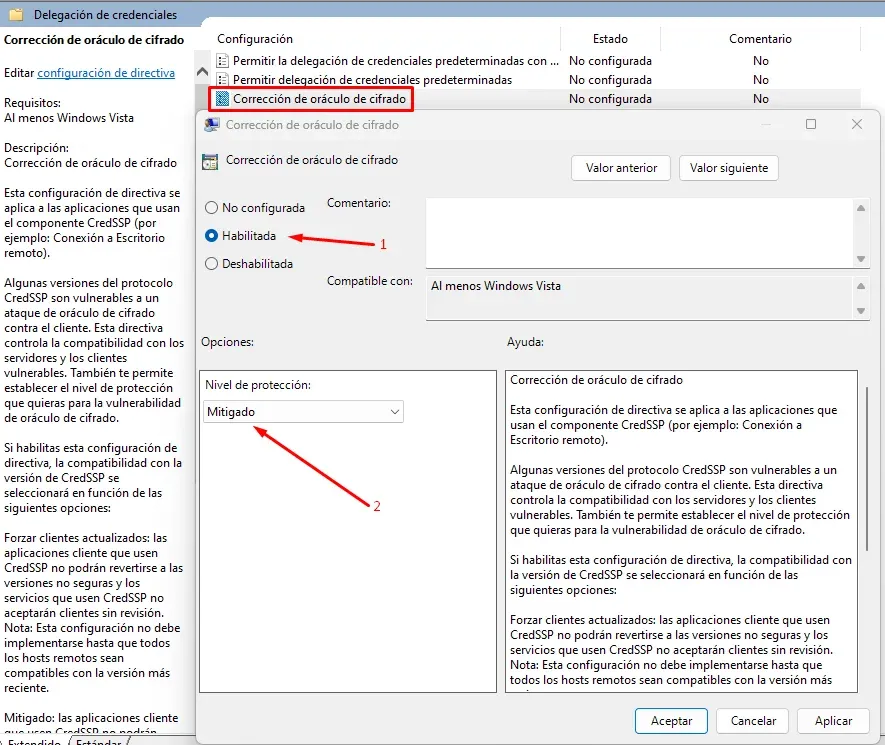
- Finally, find and modify the policy “Enable encryption oracle mitigation”. Enable this policy and select a value between “Mitigated” and “Vulnerable.” The choice depends on the server configuration; try both options to determine which works best in your case. Once you have modified this value, you will be able to connect to the server via Remote Desktop without problems.
Understanding encryption oracle mitigation
This error is more common than it seems. The CredSSP encryption oracle error occurs frequently, but as we have seen, it is easy to fix. It can be especially problematic during large-scale implementations or after recent Windows updates, as it can prevent work until corrected on the local computer.