Quickly Install Everything You Need After Formatting Your PC - Ninite
Published on March 17, 2023 · Niwo
It always happens that, after formatting a PC and installing the Windows operating system, you have to manually install each application. This can be tedious or even problematic, as we might forget to install something, especially if we have to do it on many computers in a row.
How to Install Everything You Need After Formatting with One Click
The answer is simple: with Ninite, we can download a single installer that contains all the programs we need and which we previously marked in a list. But the advantages don’t end there, as it also downloads the most updated versions, avoiding having to update anything after installation.
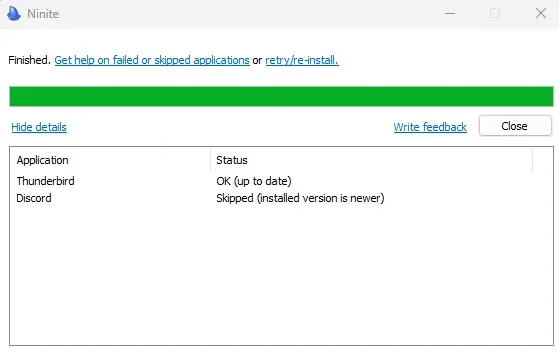
One of the most positive aspects is that, if you are really up-to-date, the application itself will show you an “OK” message if you are, or even “Skipped” if you have an even more updated version than they have. This saves time and avoids uninstalling existing programs, directly validating which versions we have installed.
What Can I Install with Ninite?
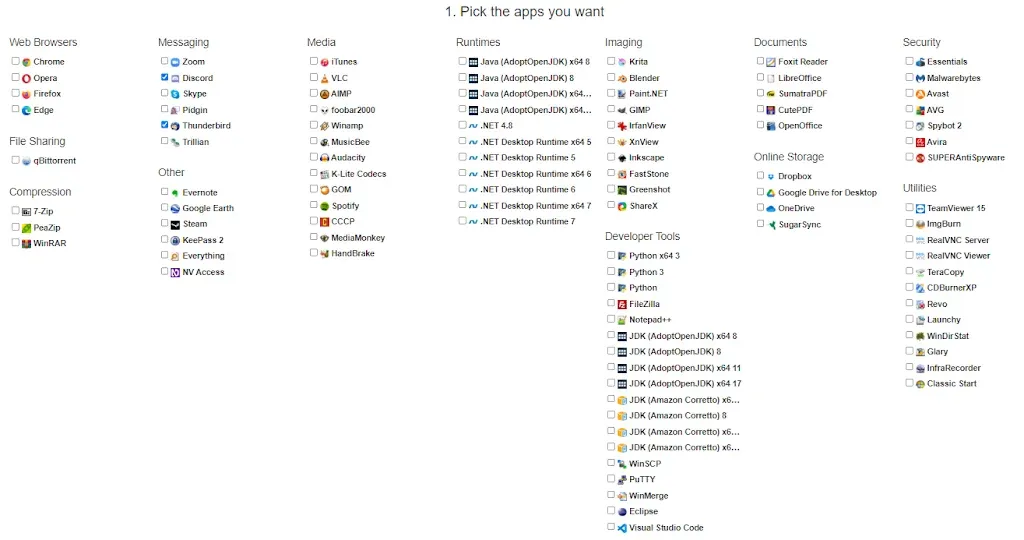
The list is really extensive, but we can find categories such as:
- Web Browsers
- Messaging and Email
- Multimedia
- Runtimes (Java and .NET)
- Image Editors
- Document Software
- Security
- File Sharing
- Cloud Storage
- Other (Steam, Google Earth, etc.)
- Utilities
- Compressors
- Development Tools
Can We Save Time with Ninite?
You can really save a lot of time, and with its PRO version for businesses the savings are even greater. With a simple client, you can update everything on all company PCs. At an enterprise level, maintaining a large number of computers is truly an incredible solution, especially if we want to have control over which version each machine handles.
As you can see, it’s a scalable solution, from using it in one-off installers for single machines to large deployments in companies. It allows everything needed in a single environment, saving an incredible amount of time and optimizing PC administration.
Click to go to the Ninite website