Configure Digitel 3G and 4G APN Easily (Venezuela)
Published on December 6, 2020 · Updated onJanuary 15, 2026 · Niwo
Configuring your Digitel APN settings is essential for a functional mobile data service. If you’re experiencing issues with your Digitel data plan, an incorrect APN configuration could be the cause.
This is a common issue, but don’t worry: configuring APNs is relatively straightforward. You just need to access your phone’s settings menu and enter the corresponding data. The process varies slightly depending on whether you use Android or iPhone.
Digitel Venezuela APN
Below, you will find the configuration parameters for Digitel. Please note that some fields are left blank because they should be; not all require information.
Digitel APN Parameters for 3G and 4G:
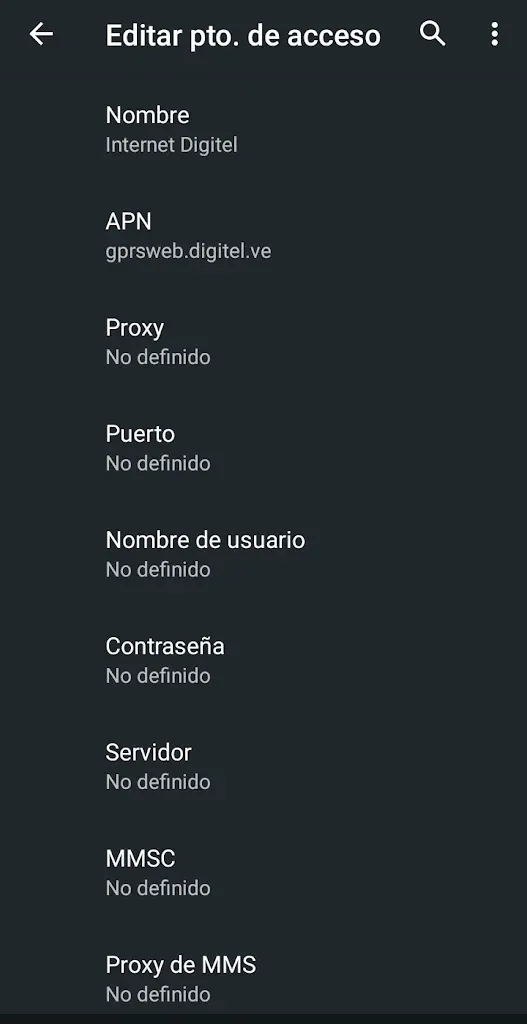
- Name: Internet Digitel
- APN: gprsweb.digitel.ve
- Proxy: (Leave Blank)
- Port: (Leave Blank)
- Username: (Leave Blank)
- Password: (Leave Blank)
- Server: (Leave Blank)
- MMSC: (Leave Blank)
- MMS Proxy: (Leave Blank)
- MMS Port: (Leave Blank)
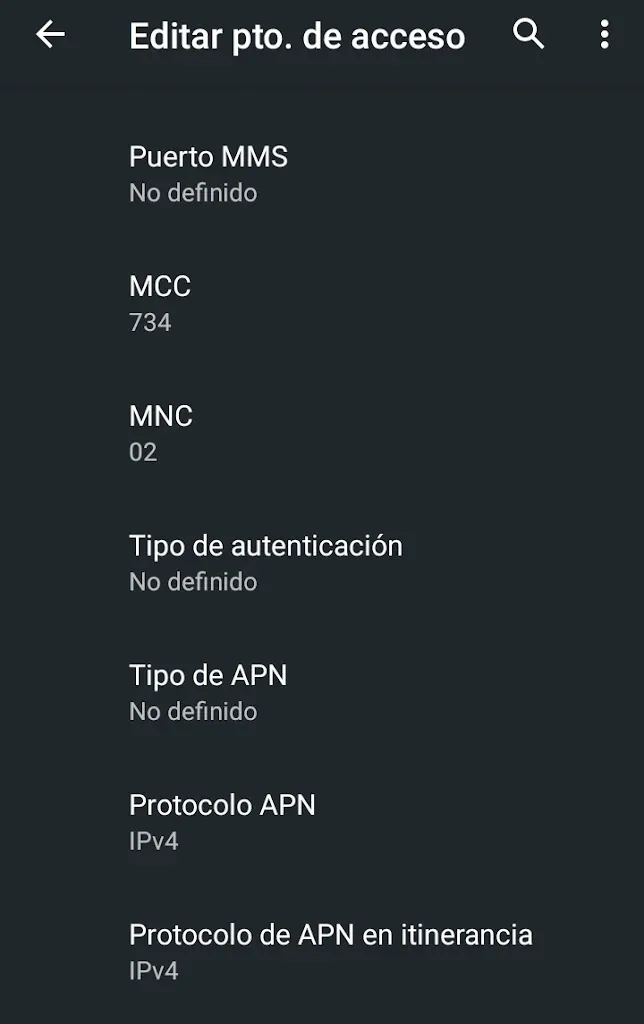
- MCC: 734
- MNC: 02
- Authentication Type: (Leave Blank)
- APN Type: default, supl
- APN Protocol: IPv4
- APN Roaming Protocol: IPv4
If you see additional parameters in your current configuration, do not modify them. Most of these fields, as you can see, should be left blank. Only modify those we indicate.
Example Digitel APN Configuration (Android)
To facilitate understanding, we show screenshots of an APN configuration for Digitel on an Android phone. Use these as a guide to ensure everything is configured correctly.
Don’t forget to save!
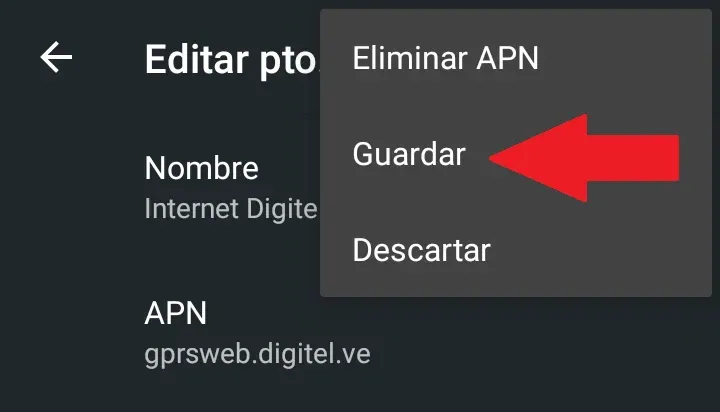
APN settings are not saved automatically. If you exit the configuration menu without saving, you will lose all changes made. Make sure to save the configuration for it to take effect.
Still unable to connect to the data network?
If, after configuring the APNs, you still have connection problems, you can visit the Digitel website to consult their online support center: https://www.digitel.com.ve/atencion-al-cliente/4g-lte/
It’s also possible that you are outside the coverage area. Check the list of 4G coverage zones on the Digitel website to verify if your location is within range: https://www.digitel.com.ve/atencion-al-cliente/zonas-cobertura/