Designing LAN Networks Easily and Simply with yEd Graph Editor
Published on December 3, 2020 · Niwo

Designing a LAN network can be complex, especially when it involves many devices. The resulting diagrams can become enormous and difficult to organize. This is where yEd Graph Editor stands out for its ability to simplify network design quickly and easily.
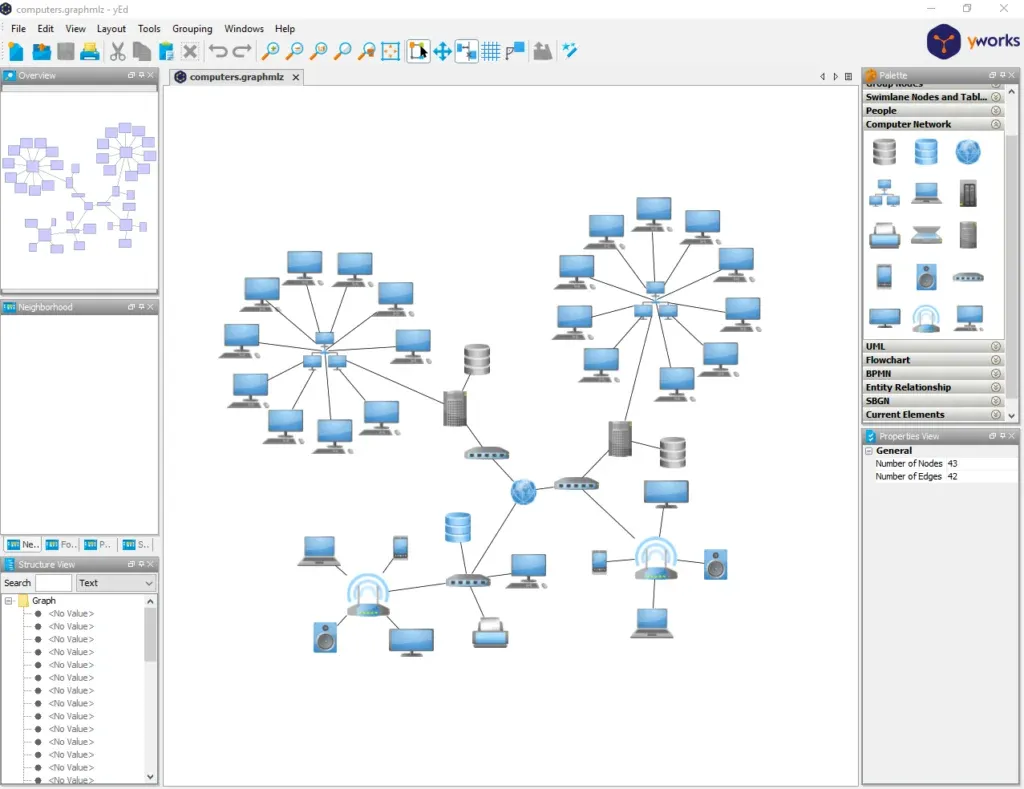
Example LAN Network - yEd Graph Editor
How to Design a LAN Network with yEd?
The process is very simple, as yEd includes everything you need to create network diagrams. It offers multiple network components and allows you to label them for easy identification.
Let’s start with a brief introduction to the location of network components and where to find them. Although it may initially seem that it doesn’t have all the icons needed for every topology, we will show you how it has enough resources and even more for various areas.
1. Create a New Document for Your LAN Network Schema
To get started, simply select “New Document” in yEd Graph Editor.
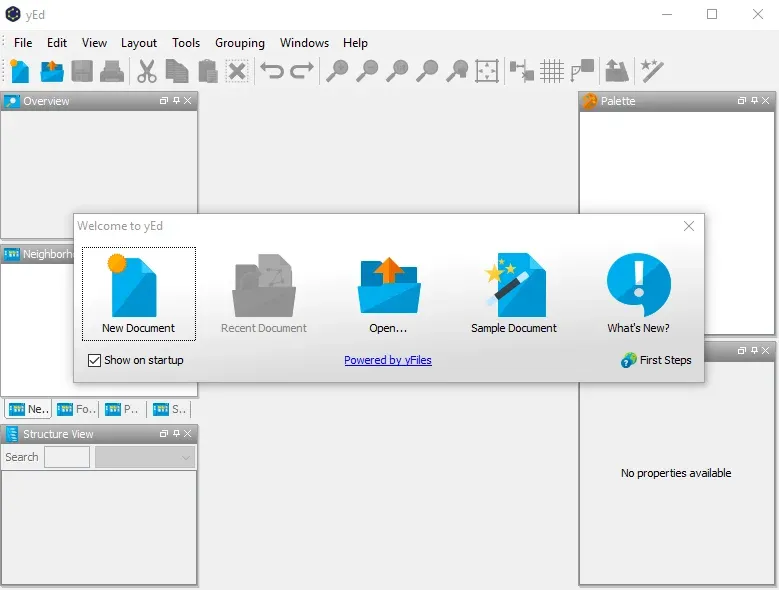
New Document - yEd Edito
Alternatively, you can choose “Sample Document,” which will generate a predefined diagram to show you the editor’s capabilities.
2. Locate the Palette to Use in Your LAN Network Diagram
yEd includes a wide variety of palettes, from flowcharts to other types of programming diagrams. The most relevant palette for us is “Computer Network,” which contains the resources needed to design a simple LAN network: icons for switches, servers, workstations, and even the globe representing the Internet.
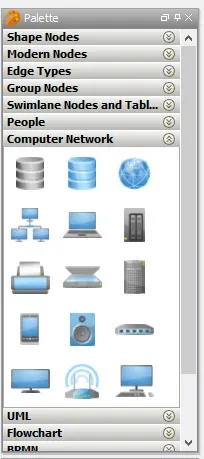
Networking Icon Palette
Is Any Icon Missing for Your Design?
If you need a specific icon that you don’t find in the predefined palettes, you can import it using the “Palette Manager,” accessible from “Edit > Manage Palette.” With this manager, you can import sections created by other users or create your own and add the icons you need. It supports popular formats like SVG and PNG, allowing you to import a wide variety of resources.
Icon Finder
Within the “Palette Manager,” you’ll also find the “Icon Finder” option, which allows you to search for icons online through a wide selection of sources. You’re sure to find everything you need to design your network.
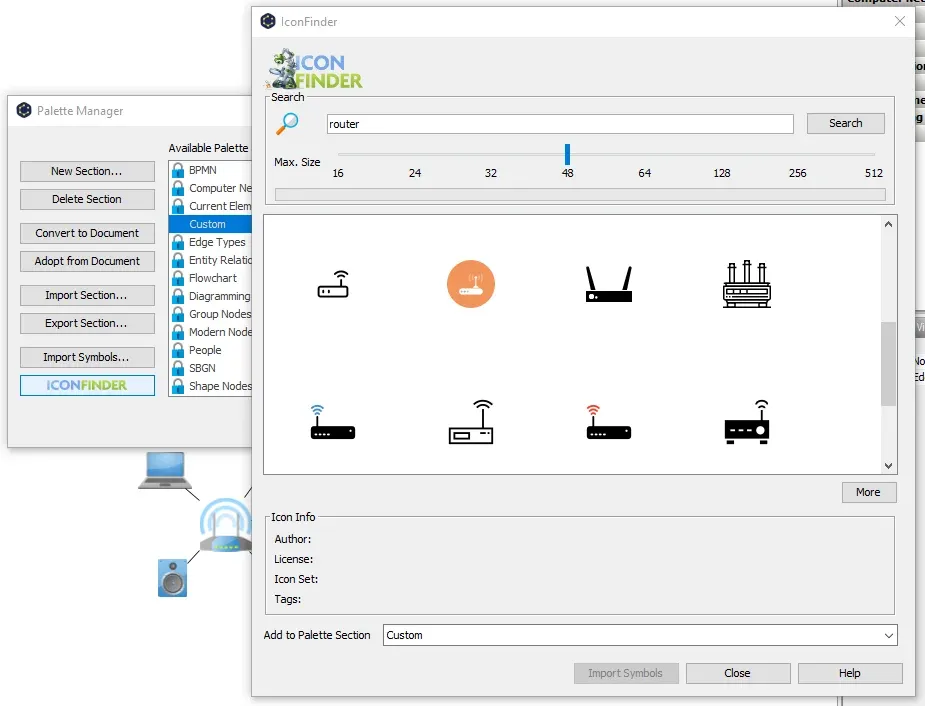
Palette Manager - yEd Graph Editor
3. Design the Structure of a LAN Network
This is probably the most complex part, but also the easiest thanks to the help of the graphic editor. Simply drag the icons to create the desired network structure, group related components, and label them to ensure that the structure works correctly according to your needs.
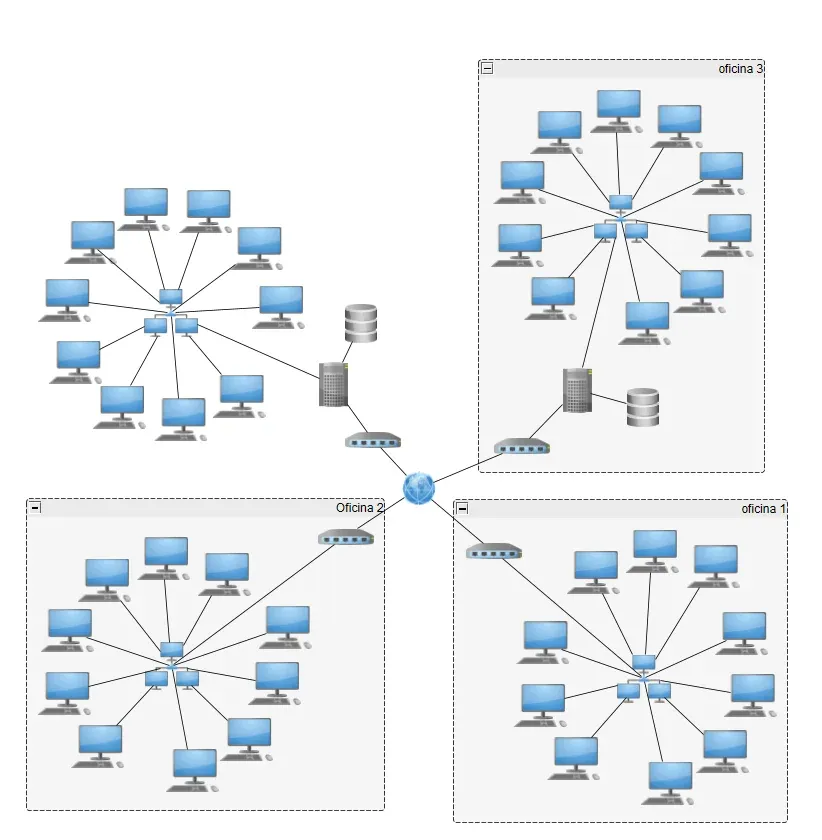
Example LAN Network in yEd Graph Editor
You can group devices, show connections, or simply create a clear visual representation of the network. The image shown is just a basic example; for more complex projects, the design should be much more detailed, something you can easily achieve with yEd Graph Editor.
Where to Download yEd Graph Editor?
Despite its professional and complete appearance, yEd Graph Editor is completely free. It’s offered by the company yworks, who allow you to use it without cost and include all the aforementioned features. It’s an excellent tool for creating graphics of all types, shapes, and sizes.
Here’s a direct link to the manufacturer’s website, where you can also find other additional tools: yworks has much more to offer.
>>>Official Web Link of yEd Graph Editor<<<
Need to calculate subnets, IP ranges and masks? Try our Subnet Calculator.