GPU Temp | Monitor Your Graphics Card Temperature
Published on June 5, 2019 · Niwo
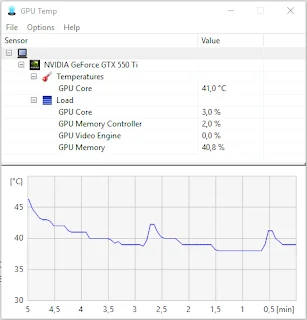
GPU Temp is one of the best programs for monitoring your GPU. It delivers on its promise: it allows you to easily view all graphics card sensors and more.
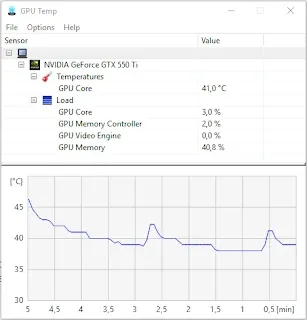
With extremely basic functionality, its options are limited to displaying data. In my case, GPU Temp can only show one temperature sensor, which is graphed in relation to degrees Celsius at the bottom in a clear and simple way.
In addition to temperature, you can see the GPU core usage, memory consumption, video processor usage, and dedicated memory. This allows you to easily assess the load you are placing on your graphics card.
What’s it for knowing this data?
If you’re trying to overclock and don’t want to damage your GPU in seconds, it is essential to constantly check its temperature. It will rise drastically if you don’t know what you’re doing.
It is also very useful if you have a mining rig with multiple GPUs. With GPU Temp you can monitor the temperature graph and ensure that you are not overheating your valuable graphics cards.
What settings does it have?
Really few. It’s so simple that it only has two options: start along with Windows and minimize it at startup to keep it always available without needing to open it every time you turn on the computer.
When running minimized, it remains in the taskbar as a small number displaying the current GPU temperature, allowing you to work without constantly seeing the graph.

GPU Temp - running on Windows 10
Where can I get GPU Temp?
The best part is that it’s completely free and you can download it from its official website: