Hat.sh | Encrypt Files from Your Browser Without Additional Programs
Published on June 13, 2019 · Niwo
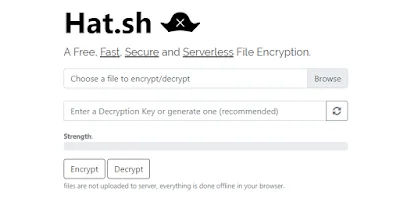
Hat.sh is a really useful web tool that provides an environment for encrypting your files directly in the browser. Unlike other services, this approach focuses on local use, without needing to upload the files to a server. If you want to check it out yourself, I’ll indicate where to find the source code later.
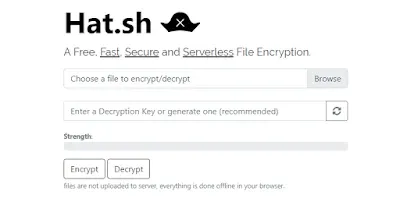
How Hat.sh Works?
The utility employs the AES-256-GCM algorithm to encrypt files from your browser, leveraging a WebAPI that is already integrated into modern browsers. If this explanation doesn’t quite convince you, the developer of Hat.sh has provided more detailed documentation on the methods and API used. You can find it on the Hat.sh Github, although it’s only available in English.
A common question is: what does a file look like after being encrypted with Hat.sh? Here’s a simple example: I took the first image of this article and encrypted it with Hat.sh. The result maintains the original extension, in this case PNG. The original image was a PNG, but after encryption, its thumbnail can no longer be displayed.
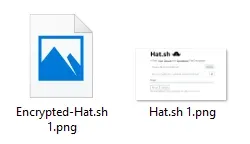
Example of Encrypted Image
As you can see, it only loses its thumbnail and stops being able to open due to the encryption. This allows you to easily encrypt files and send them without third parties being able to open them unless they have the correct key. An interesting feature is that Hat.sh can automatically generate encryption keys, making it easier to obtain a secure key. This helps prevent brute-force attacks where someone tries to guess the password with weak passwords like “123456”.
An additional important detail is that Hat.sh also offers an offline version for Windows, macOS and Linux, available on the developer’s Github.
If you are interested in learning more about how passwords are generated, the creators of Hat.sh use a project called zxcvbn.js, also developed by Dropbox and available on GitHub.
Without further ado, here are the links so you can try out this interesting and useful web application:
Need to encrypt or decrypt text with AES or RSA? Try our AES Encryption or RSA Encryption.