How to Implement Google Analytics on Your Website?
Published on March 22, 2020 · Niwo

Implementing Google Analytics on your website is really simple. The key thing is to obtain the tracking code (measurement ID) to include it in your site. This code allows Google to identify that you are the owner of the site and which domain should be tracked.
It’s important to note that to use Google Analytics, you need a Gmail account. Register on the Google Marketing Platform where you will find Google Analytics.

Google Marketing Platform - Google Analytics
How to Get the Tracking Code (Measurement ID) to Implement Google Analytics?
Once registered, you will see a menu with your accounts associated with Google Analytics. Within this menu, you’ll find Properties, which are what interests you since that’s where you’ll obtain the tracking code (measurement ID). Therefore, you must create a property.
Menu for creating new properties in Google Analytics
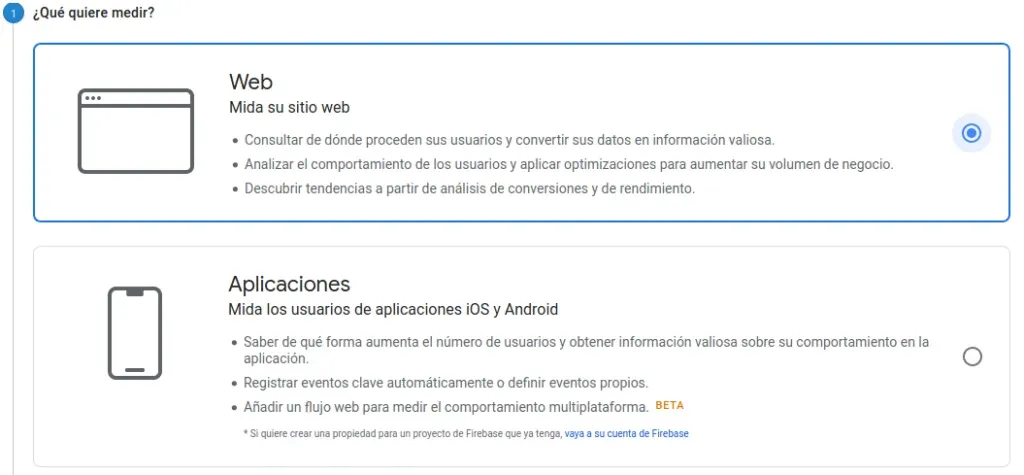
After creating the property, select whether you want to measure a mobile app or a website. As this guide focuses on websites, choose the first option.
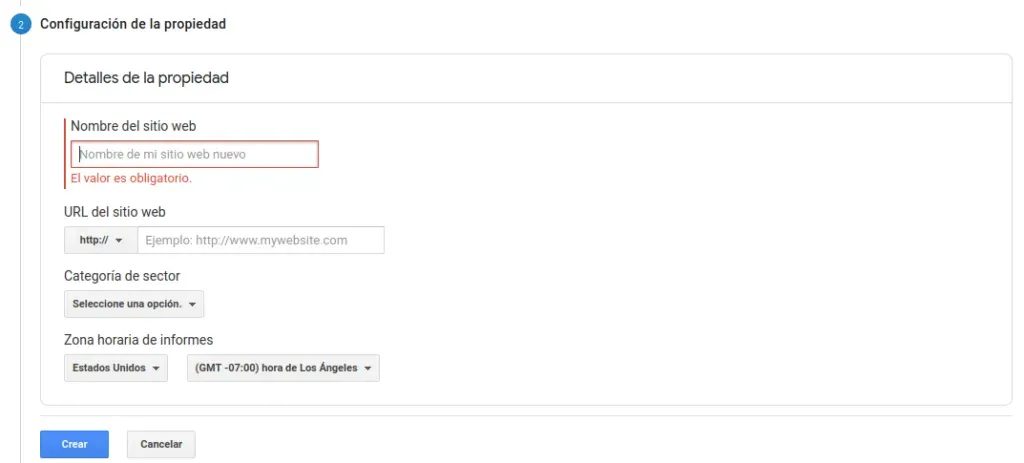
Menu for configuring a new property in Google Analytics
In this step, simply assign a name to your website and provide the correct URL, making sure to indicate whether it is HTTP or HTTPS. This is crucial because Google uses this information to access your site; providing an incorrect URL will prevent traffic analysis. You should also select the category that your website belongs to (for reference only) and the time zone for reports. The time zone does not have to match your physical location, it only affects the dates of the reports.
When you have the tracking code (measurement ID), it will look something like this:
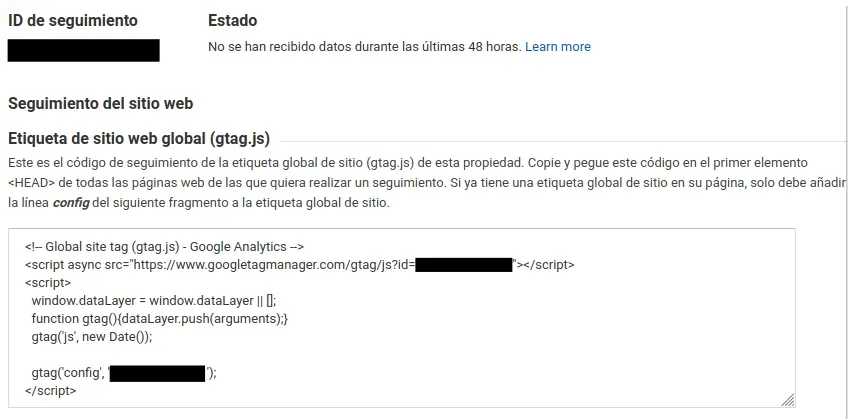
Tracking ID and Google Analytics Script
At this point, Google will provide you with an easy way to include the tracking code (measurement ID) on your website: by inserting it as a small JavaScript script within the <HEAD> tag of your page. If you are a beginner or use platforms like Blogger, there is a much simpler method that we explain in this dedicated article:
Method for Any Other Website
If you are not using Blogger, you only need to understand a little about the basic structure of HTML and place the code within <HEAD>. It will be something similar to this:
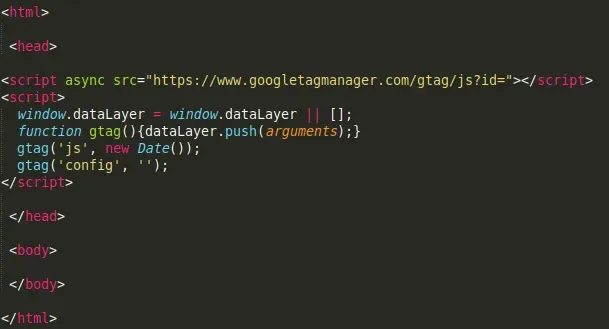
HTML Structure with Location of Google Analytics Code
Simply, add the script provided by Google within <HEAD> and you’ll be ready to start collecting statistics about your website with Google Analytics.