How to Connect to Old Devices with SSHv1
Published on March 22, 2020 · Niwo
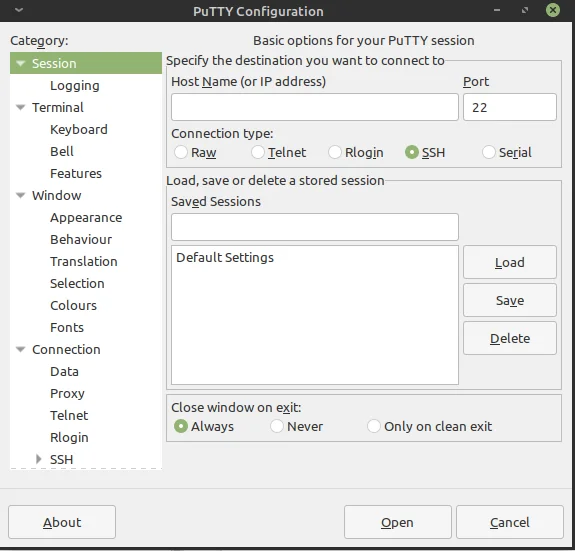
Have you ever found yourself needing to connect to extremely old devices that only offer access via SSH Version 1? It’s a frustrating situation, as modern tools like Putty often reject the connection initially. In this article, we’ll show you how to solve this problem and access these legacy devices.
Putty configuration menu.
How to Connect to the SSHv1 Protocol (Insecure)?
The solution is simple: SSHv1, or Version 1, is supported by programs like Putty, but considers it an insecure protocol and, by default, does not allow you to use or detect it. To enable it, you must modify the configuration when connecting.
Steps to Use SSHv1 with Putty
Follow these steps to configure Putty:
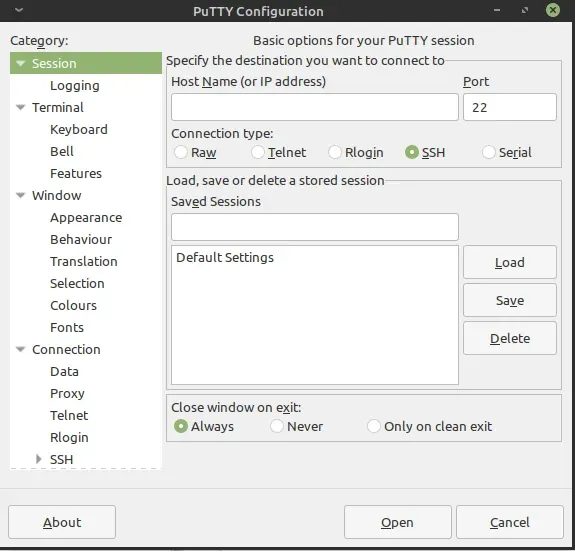
- Go to the SSH menu on the left panel of the program.
- Select “SSH protocol version: 1”. (See image below)
- Return to the “Session” category and connect as SSH to the desired device.
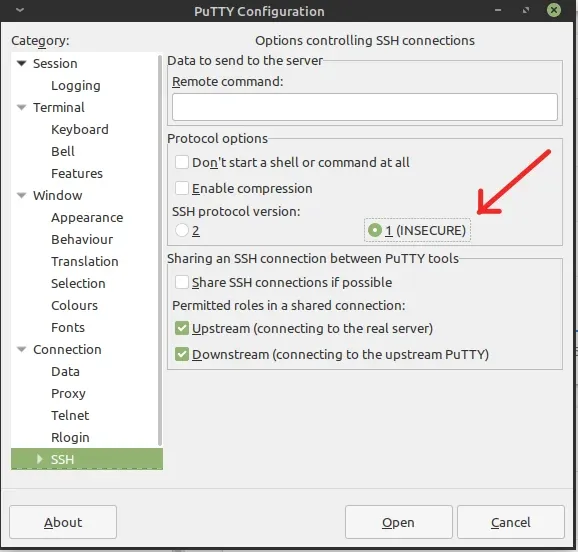
SSH version 1 connection configuration in Putty.
Why Use This Old Protocol?
Despite its age, there are still devices that have been running for years without updates and maintained on an obsolete standard. Replacing them is not always possible or practical, which can be a real headache for system administrators.
Therefore, we offer you this real alternative to continue connecting and modifying the configuration of these devices, even after their manufacturers have stopped supporting them.
While it’s not the most secure solution in terms of security, it is the most functional option for resolving many issues related to legacy equipment. Remember to evaluate the risks before using SSHv1 in sensitive environments.
Need to configure SSH access to multiple servers? Try our SSH Config Generator.