Meld | Easily Compare Two Text Files and Find Differences
Published on February 6, 2019 · Niwo
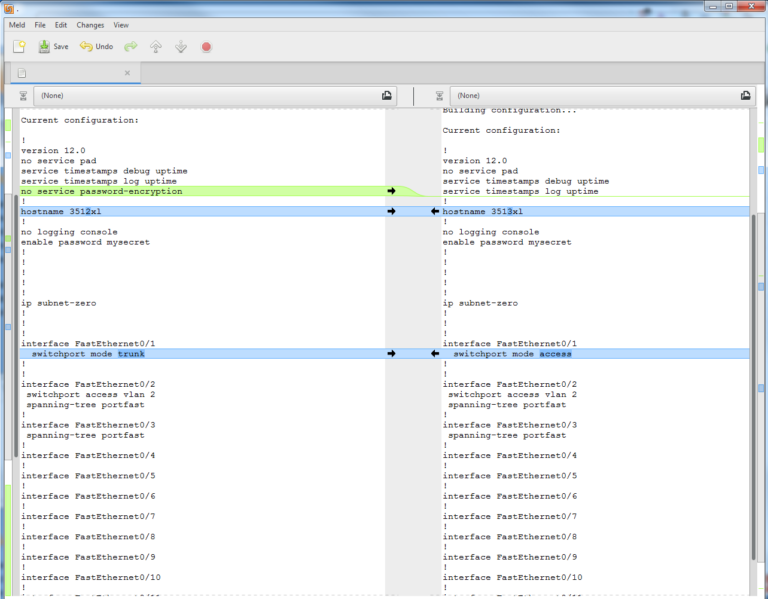
When we need to compare two configuration files in plain text, whether to look for discrepancies or other issues, the task can be complicated at a glance. Human error is inevitable, and that’s where Meld becomes an invaluable tool: an easy and efficient application that greatly simplifies these situations.
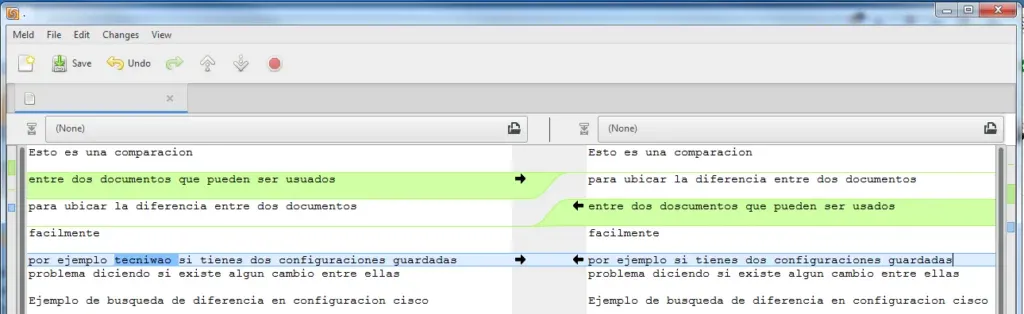
With Meld, identifying differences is straightforward. It highlights non-matching elements in dark blue when reviewing line by line. If a line is missing, it underlines it in green, making it easy to detect problems between the configurations being compared. A practical example is comparing a backup of a configuration with the currently used version.
Comparing Two Text Files - Meld
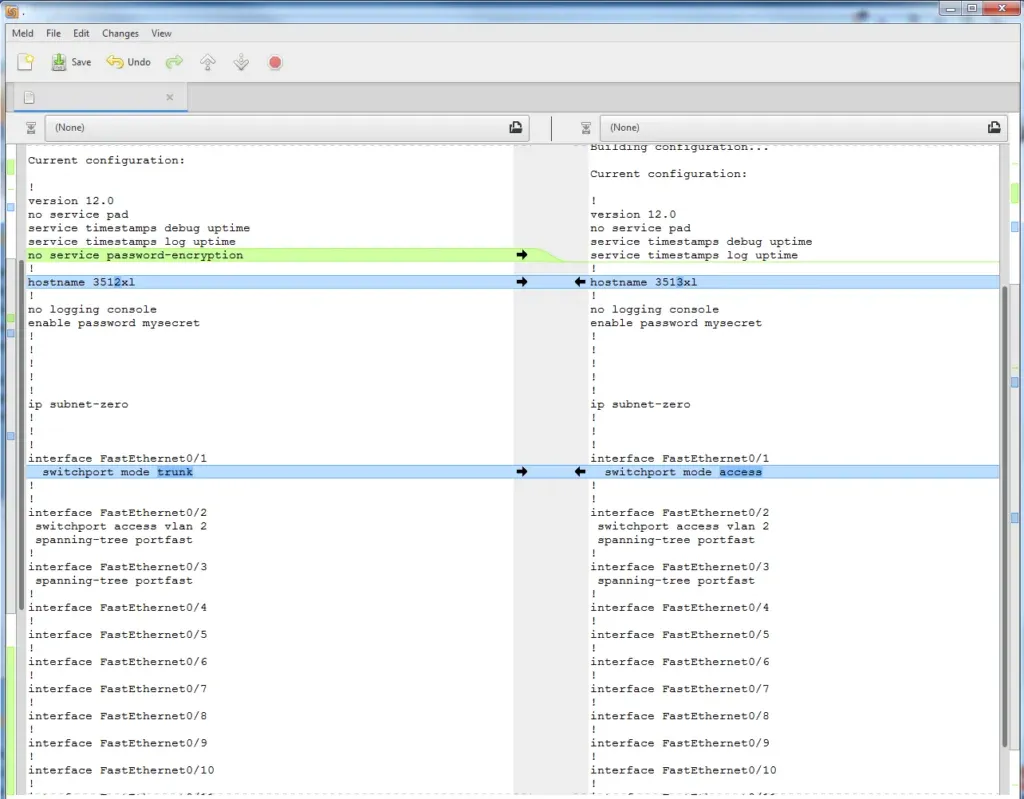
As shown in the image, it’s easy to identify if any element is missing or if there’s a discrepancy.
While an excellent tool, its availability is somewhat limited. Currently, Meld is officially available for Windows and in a pre-release version for Mac OS X through binaries.
Its applications are very varied: from verifying configurations to programming, passing through searching for errors in files. It’s a utility that shouldn’t be missing from your arsenal, especially considering it’s completely free on its official website.
Official Website: http://meldmerge.org/
Need to compare two texts and visualize differences? Try our File Diff Tool.