VPN Access Manager | IPSEC VPN Client Compatible with Windows 10
Published on April 1, 2019 · Niwo
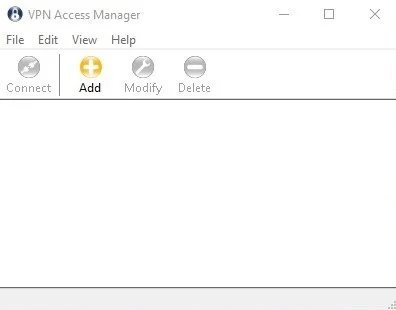
Today I want to introduce you to a VPN client that proved very helpful after upgrading to Windows 10. Previously, I used a Cisco VPN client that stopped being compatible with the new version of the operating system. Unable to connect to the VPNs I needed to work with my clients, I researched extensively until I found this client developed by Shrew Soft.
VPN Access Manager - Shrew Soft
A particularly useful feature, especially if you use VPNs with Cisco equipment, is the ability to import configuration files with .vpn and .pcf extensions. This allows you to easily migrate your old configurations to the new client without complications.
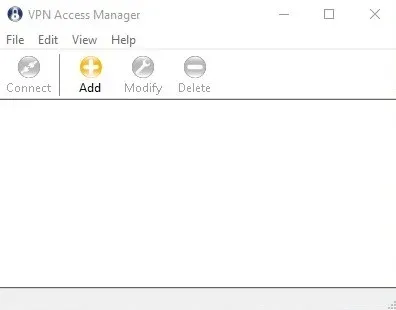
As with any VPN client, it offers options to configure all the necessary parameters to establish an IPSec connection with your remote device. These parameters vary depending on each case, so it is not possible to give specific recommendations. Below I show an image of the general menu when starting the configuration of a new VPN. It’s important to note that the client has complete documentation in case you need additional help.
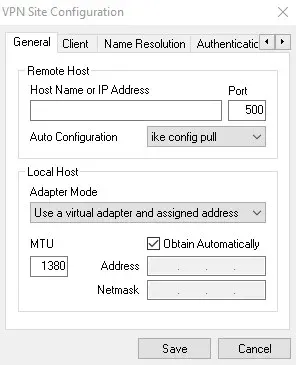
VPN Access Manager - General Menu When Adding a New VPN - Shrew Soft
Documentation: https://www.shrew.net/static/help-2.1.x/vpnhelp.htm
VPN Client Download: https://www.shrew.net/software
Is VPN Access Manager suitable for remote work?
Absolutely. It is designed with business environments in mind and seeks to simplify the configuration of connections. The ability to import configurations directly greatly facilitates loading the settings provided by your company, allowing you to access the office network remotely.
With VPN Access Manager, you can connect to the office network as if your computer were physically connected to the wired network.
Need to configure a VPN with OpenVPN or WireGuard? Try our VPN Configuration Generator.