What is Downtime? Definition, Causes & How to Minimize It
Published on June 3, 2026 · Niwo
- What is Downtime?
- Common Causes of Downtime
- 1. Hardware Failure
- 2. Software Bugs and Configuration Errors
- 3. Human Error
- 4. Cyberattacks (DDoS and Ransomware)
- 5. Power Outages
- 6. Network Issues
- 7. Maintenance and Upgrades
- The Real Cost of Downtime
- By the Numbers
- Downtime Cost Formula
- Cost Examples by Business Size
- SLA and Uptime Levels
- SLA Uptime Table: Availability vs. Allowed Downtime
- What Do These Levels Mean in Practice?
- How to Measure Downtime
- MTBF (Mean Time Between Failures)
- MTTR (Mean Time to Repair/Recover)
- MTTA (Mean Time to Acknowledge)
- Typical Targets
- Monitoring Tools to Track Downtime
- Strategies to Minimize Downtime
- 1. Redundancy at Every Layer
- 2. Automated Backups and a Disaster Recovery Plan
- 3. Real-Time Monitoring and Alerting
- 4. Incident Response Playbook
- 5. Regular Maintenance Windows
- 6. Chaos Engineering
- 7. SLO-Based Engineering
- Planned vs Unplanned Downtime — Key Differences
- Frequently Asked Questions
- What is meant by downtime in computer?
- How much downtime is 99.9% uptime?
- What does 90% uptime mean?
- How is downtime cost calculated?
- What is the difference between MTBF and MTTR?
- Conclusion
What is Downtime?
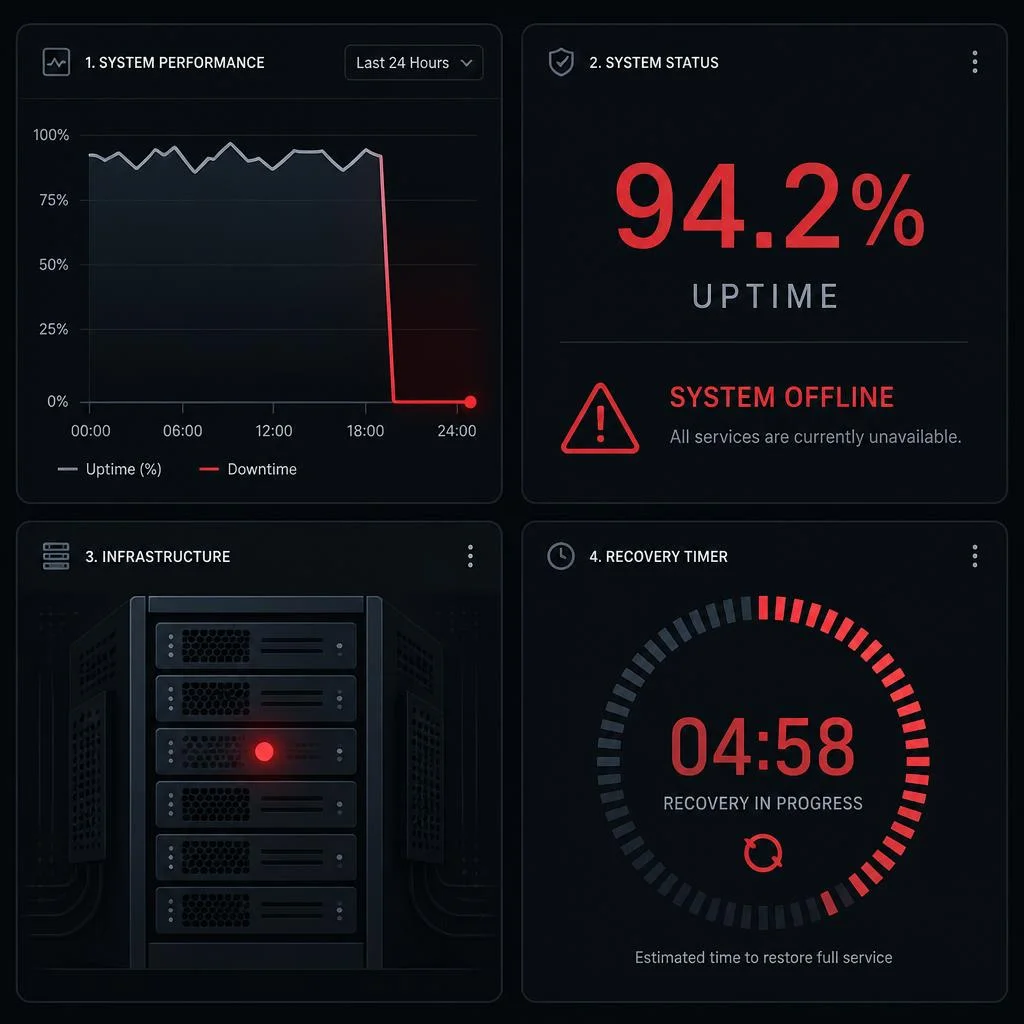
In IT operations, downtime refers to any period when a system, server, network, or application is unavailable or fails to perform its primary function. It represents the time between a service going down and being restored to full operation. The opposite — the time a system runs normally — is called uptime, and the ratio between them defines your availability percentage.
Downtime falls into two broad categories:
- Planned downtime: Scheduled outages for maintenance, updates, patches, or hardware upgrades. These are announced in advance and often staged to minimize user impact.
- Unplanned downtime: Unexpected outages caused by failures, cyberattacks, human errors, or environmental events. This is the costlier and more disruptive type — and the one that keeps site reliability engineers (SREs) up at night.
Why does the downtime meaning matter beyond IT? Because in 2026, virtually every business process depends on digital infrastructure. A five-minute outage at a payment processor can halt thousands of transactions. A DNS misconfiguration can take down an entire e-commerce catalog. Even a minor slowdown can drive users to competitors. Understanding downtime in computer systems is no longer optional — it’s a core business competency.
Quick definition: Downtime in computing = the duration a digital service is not operational. Measured in minutes, hours, or as a percentage of total time.
Common Causes of Downtime
Downtime rarely has a single cause. Most outages result from a combination of factors. Based on industry incident reports and postmortems, here are the seven most common causes:
1. Hardware Failure
Servers have a finite lifespan. Disks fail (annual failure rates of 1–5% for HDDs), power supplies die, RAM develops errors, and network cards stop responding. A single failed disk in a RAID-5 array can degrade performance until replacement — and a second failure during rebuild means data loss.
2. Software Bugs and Configuration Errors
A misconfigured firewall rule, a bad deployment, or a memory leak in application code can take a service down faster than any hardware issue. The 2024 CrowdStrike Falcon outage — a single flawed channel file update — affected 8.5 million Windows devices and cost Fortune 500 companies an estimated $5.4 billion in losses.
3. Human Error
According to the Uptime Institute’s annual outage analysis, human error accounts for 40–50% of all unplanned downtime. Fat-fingered commands, accidental deletions, misapplied patches — these are the invisible tax of complex systems. Even the best runbooks can’t prevent a typo in rm -rf.
4. Cyberattacks (DDoS and Ransomware)
Ransomware attacks have become the leading cause of prolonged downtime in enterprise environments. The average recovery time from a ransomware incident exceeds 21 days. DDoS attacks, while shorter, can still saturate links and take public-facing services offline for hours.
5. Power Outages
Despite redundant power feeds and UPS systems, data center power events still cause significant downtime. A 2023 Uptime Institute survey found that power-related incidents account for 43% of all data center outages, with average losses exceeding $100,000 per event.
6. Network Issues
BGP route leaks, DNS propagation delays, misconfigured load balancers, and ISP failures can render services unreachable even when the application itself is running perfectly. The network layer is the silent bottleneck behind many “mystery outages.”
7. Maintenance and Upgrades
Ironically, the very act of fixing things causes downtime. Certificate renewals forgotten until expiry, database migrations that take longer than expected, and Kubernetes rolling updates that trigger cascading failures — maintenance windows are the planned downtime that bleeds into unplanned territory.
The Real Cost of Downtime
Downtime isn’t measured purely in technical metrics — it’s a financial event. Every minute your service is unavailable translates to lost revenue, wasted labor, and long-term reputational damage.
By the Numbers
- Average cost of IT downtime: ~$5,600 per minute (Gartner, 2024 estimate)
- Enterprise average: up to $14,056 per minute (Ponemon Institute / IBM)
- Amazon: estimated $5 million in lost revenue per hour during major outages
- CrowdStrike incident (July 2024): $5.4 billion impact on Fortune 500 companies
- Small business impact: 60% of SMBs that experience a major outage shut down within six months (FEMA / various studies)
Downtime Cost Formula
Use this formula to estimate the impact on your own organization:
Downtime Cost = (Revenue Loss) + (Productivity Loss) + (Recovery Costs)Where:
- Revenue Loss = (Annual Revenue ÷ 525,600 minutes) × Minutes of Downtime
- Productivity Loss = (# of Affected Employees × Avg Hourly Wage) × Downtime Hours
- Recovery Costs = (IT Staff Hours × Hourly Rate) + (Vendor/Contractor Fees) + (Penalties)
Cost Examples by Business Size
| Business Type | Annual Revenue | Downtime Cost per Hour | 1 Hour Outage = |
|---|---|---|---|
| Small startup | $500K | ~$950 + productivity | ~$2,500 |
| Mid-size SaaS | $10M | ~$19,000 + productivity | ~$35,000 |
| Enterprise | $500M | ~$950,000 + penalties | ~$1.2M+ |
| Tech giant (Amazon scale) | $500B+ | ~$5M direct revenue | $5M+ |
The hidden cost — reputational damage — is harder to quantify but arguably larger. A single public outage can erode years of trust. According to a Google Cloud survey, 82% of users will abandon a service after repeated downtime.
👉 Calculate your own downtime cost with our free Downtime Calculator.
SLA and Uptime Levels
A Service Level Agreement (SLA) is a contractual commitment between a service provider and a customer defining the minimum availability the service must deliver. SLAs are expressed as uptime percentages — and the difference of a single “nine” can mean hours of additional downtime.
SLA Uptime Table: Availability vs. Allowed Downtime
| Availability % | Nines | Daily | Weekly | Monthly | Yearly |
|---|---|---|---|---|---|
| 99% | 1 nine | 14 min 24 s | 1 h 40 min | 7 h 12 min | 3.65 days |
| 99.5% | — | 7 min 12 s | 50 min 24 s | 3 h 36 min | 1.83 days |
| 99.9% | 3 nines | 1 min 26 s | 10 min 4 s | 43 min 28 s | 8.76 hours |
| 99.95% | — | 43 s | 5 min 2 s | 21 min 44 s | 4.38 hours |
| 99.99% | 4 nines | 8.6 s | 1 min | 4 min 23 s | 52 min 34 s |
| 99.999% | 5 nines | 0.86 s | 6 s | 26 s | 5 min 15 s |
| 99.9999% | 6 nines | 0.09 s | 0.6 s | 2.6 s | 31.5 s |
What Do These Levels Mean in Practice?
- 99% (“one nine”): Your service can be down for a full workday each quarter. Acceptable for dev/staging and internal tools.
- 99.9% (“three nines”): The standard production SLA. Under 9 hours of yearly downtime. Suitable for most SaaS products and B2B services.
- 99.99% (“four nines”): Enterprise-grade. Under 1 hour of yearly downtime. Requires redundant, multi-region infrastructure.
- 99.999% (“five nines”): Mission-critical. Under 6 minutes of yearly downtime. Requires active-active multi-region architecture.
🔍 Explore each level in detail with our SLA Cheatsheet — pick any availability percentage to see exact downtime calculations per day, week, month, and year.
How to Measure Downtime
Measuring downtime isn’t as simple as “the site was down for 30 minutes.” Operations teams use a set of standard metrics to quantify reliability and recovery:
MTBF (Mean Time Between Failures)
Definition: The average time a system runs between incidents.
Formula: MTBF = Total Uptime ÷ Number of Failures
Purpose: Measures reliability — higher is better.
Example: If a server runs for 8,760 hours in a year and fails 4 times, its MTBF is 2,190 hours.
MTTR (Mean Time to Repair/Recover)
Definition: The average time it takes to restore a system after a failure.
Formula: MTTR = Total Downtime ÷ Number of Failures
Purpose: Measures recoverability — lower is better.
Example: If total downtime was 8 hours across 4 failures, MTTR is 2 hours.
MTTA (Mean Time to Acknowledge)
Definition: The average time between an alert firing and a team member acknowledging the incident. Purpose: Measures responsiveness — critical for SLA compliance.
Typical Targets
| Metric | Good | Great | Elite |
|---|---|---|---|
| MTBF | > 30 days | > 90 days | > 1 year |
| MTTR | < 4 hours | < 1 hour | < 15 min |
| MTTA | < 15 min | < 5 min | < 2 min |
Monitoring Tools to Track Downtime
- UptimeRobot — Free HTTP monitoring with 5-minute checks
- Pingdom — Advanced synthetic monitoring and alerting
- Prometheus + Grafana — Open-source metrics collection and visualization (standard in the Kubernetes ecosystem)
- Datadog — Full-stack observability with APM, logs, and infrastructure monitoring
- Better Uptime — Modern status pages + heartbeat monitoring
💡 Use our Downtime Calculator to convert between availability percentages and downtime minutes — the essential tool for SLA tracking.
Strategies to Minimize Downtime
No system can achieve 100% uptime (physics and networks don’t allow it), but you can get arbitrarily close. Here are seven proven strategies:
1. Redundancy at Every Layer
Eliminate single points of failure. Use HA (high-availability) pairs for load balancers, multi-AZ deployment for compute and databases, and N+1 redundancy for power and cooling. The goal: any single component can fail without taking the system down.
2. Automated Backups and a Disaster Recovery Plan
Schedule automated backups with a tested RTO (Recovery Time Objective) and RPO (Recovery Point Objective). Your DR plan should be documented and practiced at least quarterly — a plan that’s never tested is a plan that will fail.
3. Real-Time Monitoring and Alerting
You can’t fix what you don’t see. Implement endpoint health checks, synthetic transactions, and log-based alerting. Tools like Prometheus, Grafana, and PagerDuty ensure your team knows about an outage before customers do.
4. Incident Response Playbook
Document exactly what happens when an alert fires: who is notified, what the first diagnostic steps are, and who has escalation authority. Run tabletop exercises and chaos engineering experiments (like Netflix’s Chaos Monkey) to validate your runbooks under pressure.
5. Regular Maintenance Windows
Schedule maintenance during known low-traffic periods. Use blue-green deployments or canary releases to update systems without full downtime. Automate certificate renewals and OS patching to eliminate “expired cert” outages.
6. Chaos Engineering
Proactively inject failures into production to test resilience. Tools like Gremlin, Chaos Mesh, and Litmus let you simulate CPU spikes, network latency, disk failures, and pod crashes in a controlled way. The goal: find weaknesses before they find you.
7. SLO-Based Engineering
Define Service Level Objectives (SLOs) based on past performance and business requirements. Use an error budget — the amount of downtime your SLO allows over a rolling window — to decide when to launch features vs. invest in reliability.
Planned vs Unplanned Downtime — Key Differences
| Aspect | Planned Downtime | Unplanned Downtime |
|---|---|---|
| Nature | Scheduled, announced | Unexpected, sudden |
| Causes | Maintenance, upgrades, patching, migrations | Hardware failure, bugs, cyberattacks, human error |
| Cost | Low (planned = minimized impact) | High (revenue loss, penalties, reputation) |
| Control | Full control over timing | No control |
| Communication | Proactive notifications | Reactive (after detection) |
| Recovery | Pre-tested rollback plan | Ad-hoc troubleshooting |
| Customer impact | Minimized (maintenance windows, graceful degradation) | Maximum (full service interruption) |
| Example | Database migration at 3 AM | Ransomware encrypting production servers |
| Team stress | Low | High (on-call, war room, postmortems) |
The hard truth: Even planned downtime is painful. Every maintenance window carries risk — a migration that takes twice as long, a rollback that doesn’t work, an overlooked dependency. The best teams minimize all downtime, planned or not, through automation, testing, and progressive delivery.
Frequently Asked Questions
What is meant by downtime in computer?
Downtime in computing refers to any period when a computer system, server, network, or application is unavailable or not functioning as expected. It is measured from the moment the service becomes unavailable until it is fully restored. The term applies to everything from a personal PC crash to a cloud provider outage affecting thousands of customers.
How much downtime is 99.9% uptime?
99.9% uptime (three nines) allows approximately 43 minutes and 28 seconds of downtime per month, or 8.76 hours per year. This is the most common production SLA in the industry and is suitable for most SaaS and B2B applications. Use our Downtime Calculator to explore exact values for any time period.
What does 90% uptime mean?
90% uptime means your service can be down for 36.5 days per year — a full month of downtime. This is generally unacceptable for any production system. To put it in perspective: 90% is equivalent to a service being unavailable every single day for 2 hours and 24 minutes. Always aim for at least 99% availability for any customer-facing service.
How is downtime cost calculated?
Downtime cost = (Lost Revenue) + (Lost Productivity) + (Recovery Costs). Lost revenue is calculated as: (Annual Revenue ÷ Total Working Minutes) × Minutes of Downtime. For example, a company with $10M annual revenue experiencing a 2-hour outage faces approximately $38,000 in direct revenue loss, plus additional costs from idle employees and IT recovery efforts.
What is the difference between MTBF and MTTR?
MTBF (Mean Time Between Failures) measures reliability — how long a system runs on average between incidents. MTTR (Mean Time to Repair) measures recoverability — how quickly you can restore service after a failure. A reliable system has high MTBF; a resilient system has low MTTR. Both metrics together determine your overall availability. For example, MTBF of 30 days with MTTR of 1 hour yields approximately 99.86% availability.
Conclusion
Downtime is not a technical problem — it’s a business problem. Whether you run a single server for a side project or manage a multi-region Kubernetes cluster for an enterprise, understanding the downtime meaning, its root causes, and its financial impact is essential for making smart infrastructure decisions.
The key takeaways:
- Know your numbers: Measure MTBF, MTTR, and current availability
- Set clear SLAs: Match your uptime target to your business needs (not everyone needs five nines)
- Build redundancy: Single points of failure are time bombs
- Monitor proactively: If you can’t measure it, you can’t improve it
- Practice recovery: Test your DR plan before you need it
Ready to calculate your exact SLA levels? Use the Tecniwao Downtime Calculator — convert between availability percentages and downtime minutes for any SLA level from 99% to 99.9999%. No signup required.